Portfolio

GoHighLevel Portfolio

A look inside real GoHighLevel systems I’ve built and tested: the problem each one solves, exactly what I built, and how it works.

These are demo builds created in my own GoHighLevel account, designed to show how I approach real business processes.

Funnel Mockup

What I’ve built in GoHighLevel

I’ve built and tested systems for lead capture, CRM organization, follow-up automation, appointment booking, client onboarding, funnels, and websites inside GoHighLevel.

Case 01 · CRM Setup

CRM Pipeline System

Track every lead and opportunity from first inquiry to closed deal, with no one dragging cards by hand.

OutcomeEvery lead sits in a clear stage, so nothing goes cold and you can see your whole pipeline at a glance without updating it by hand.

Stages 6
Automations behind it 9
Manual data entry None
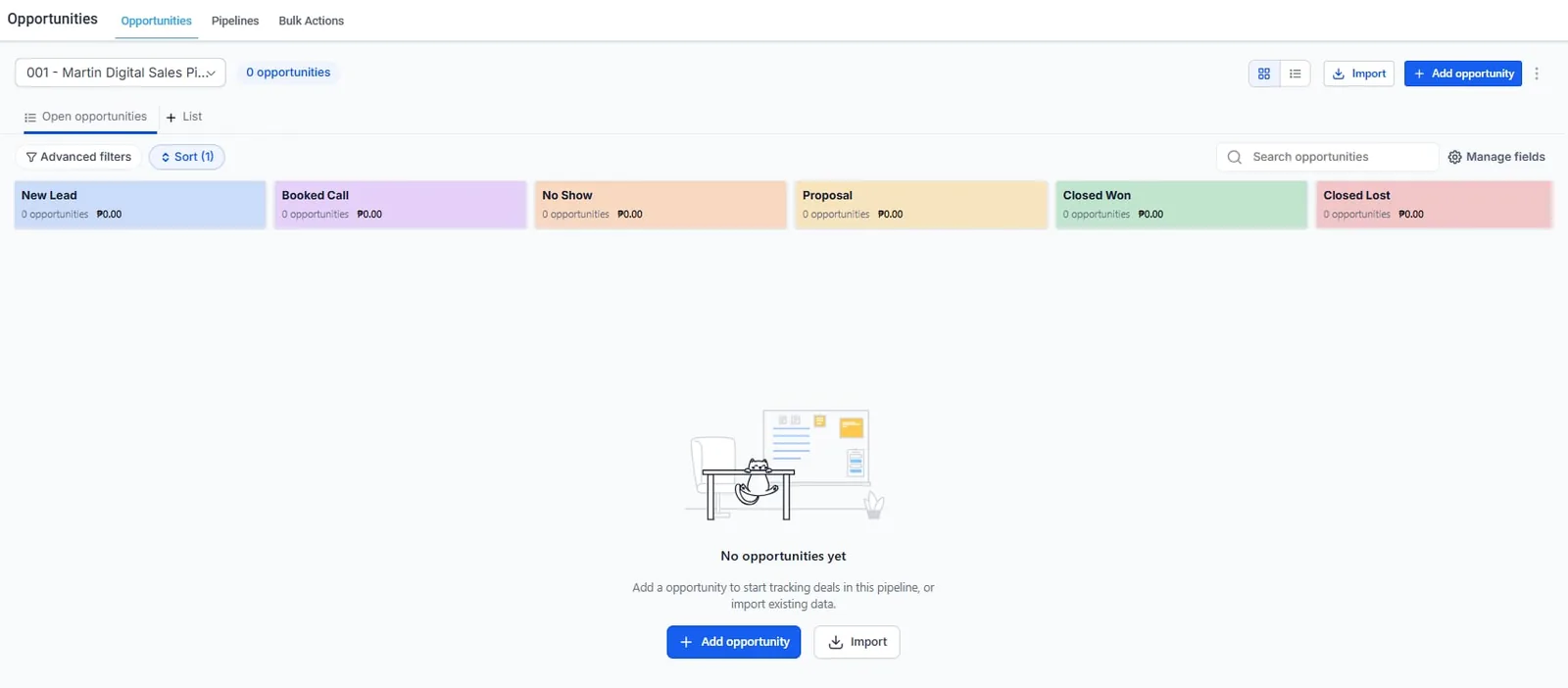
GoHighLevel opportunities board with six pipeline stages

Screenshot from my own GoHighLevel account. Six stages: new lead, booked call, no show, proposal, closed won, closed lost. Stage moves, tags and deal values are set by workflow, so the board stays current without anyone dragging cards. A saved view flags anything untouched for 48 hours.

Case 02 · Automation

CRM & Automation Walkthrough

This walkthrough shows how I built and tested a complete GoHighLevel lead-to-client system, from lead capture and pipeline management to follow-up automation, appointment booking, proposal flow, and onboarding.

Pipeline Setup Workflow Automation Appointment Booking

See how the system responds when a new lead enters the CRM, how opportunities move through the pipeline, and how follow-ups, reminders, and internal notifications work together.

This demo was built and tested in my own GoHighLevel environment to demonstrate how I structure practical lead-to-client workflows.

OutcomeOne connected system from first inquiry to booked client, with follow-ups, reminders and pipeline updates running on their own.
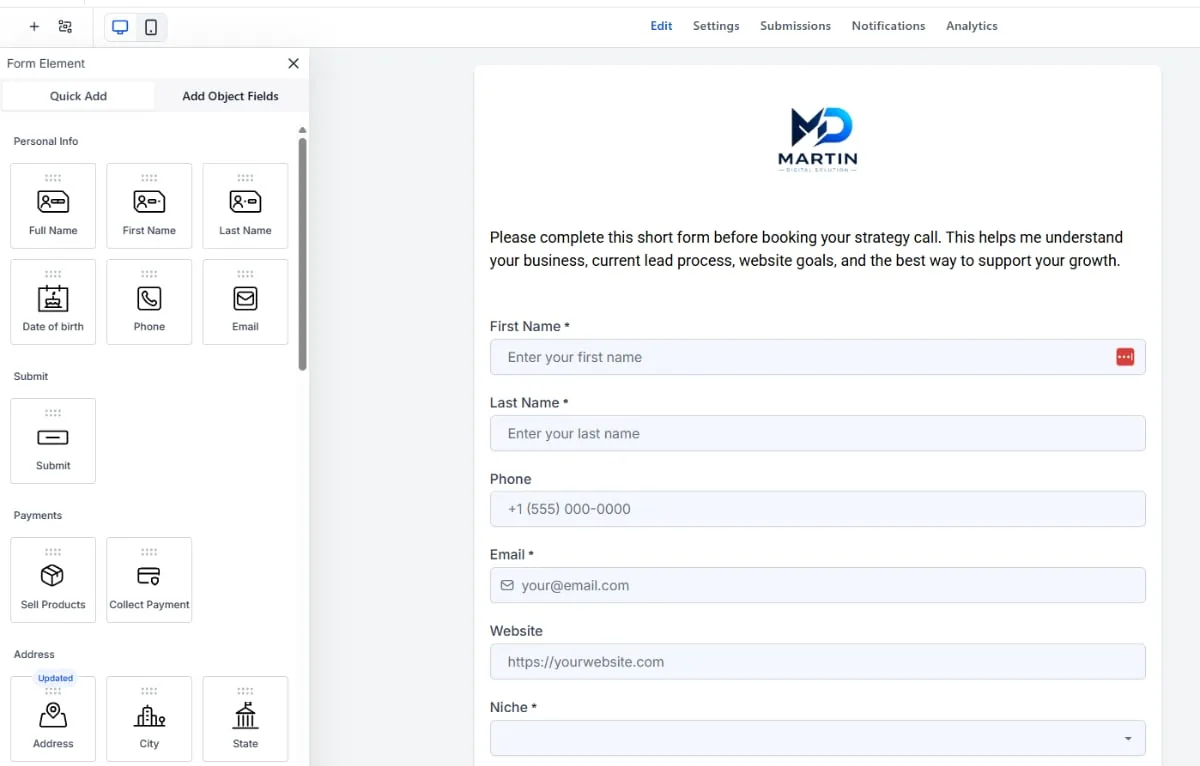
GoHighLevel form builder with the intake form for a strategy call
Case 03 · Lead Capture

Lead Capture System

Capture new inquiries from website and funnel forms, and route them into GoHighLevel with the right contact details, lead source and next step already in place.

Website and funnel forms Contact created on submit Source tagged automatically

Works on a WordPress page or inside a GoHighLevel funnel.

OutcomeNo inquiry gets lost. Every form fill becomes a contact tagged with its source, ready for instant follow-up.

Funnel Mockup
Case 04 · Funnels & Websites

Funnel & Website Build

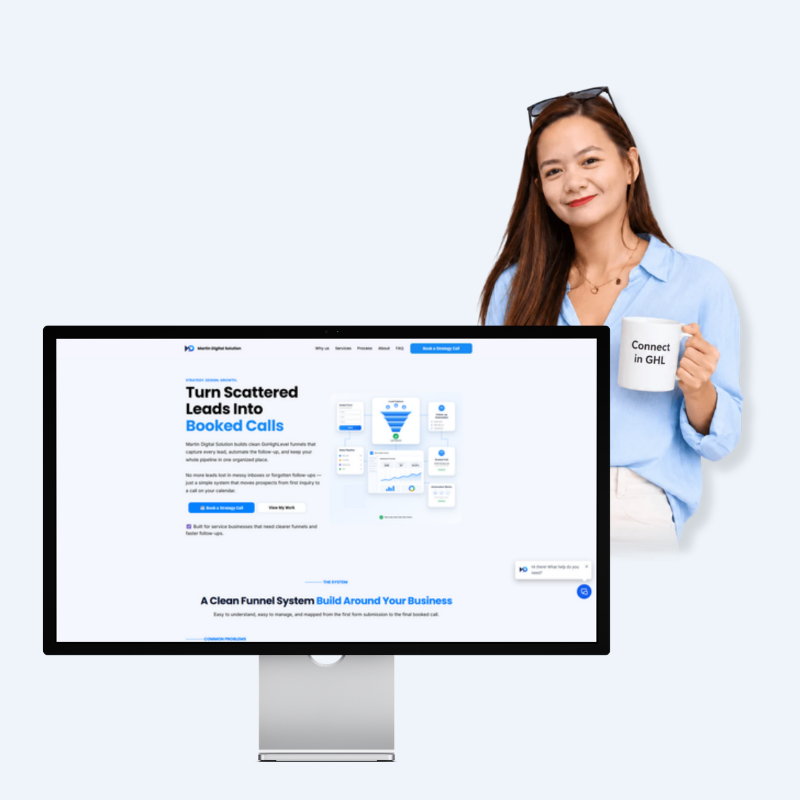
A complete GoHighLevel funnel built to turn visitors into booked calls: a landing page, an intake form, a booking calendar and a confirmation page, all connected to the CRM.

Landing page Intake form Booking + confirmation

It’s live: walk through it the way a lead would at funnel.martindigitalsolution.com.

OutcomeVisitors go from landing page to booked call in one smooth flow, and every booking and confirmation is tracked in the CRM.

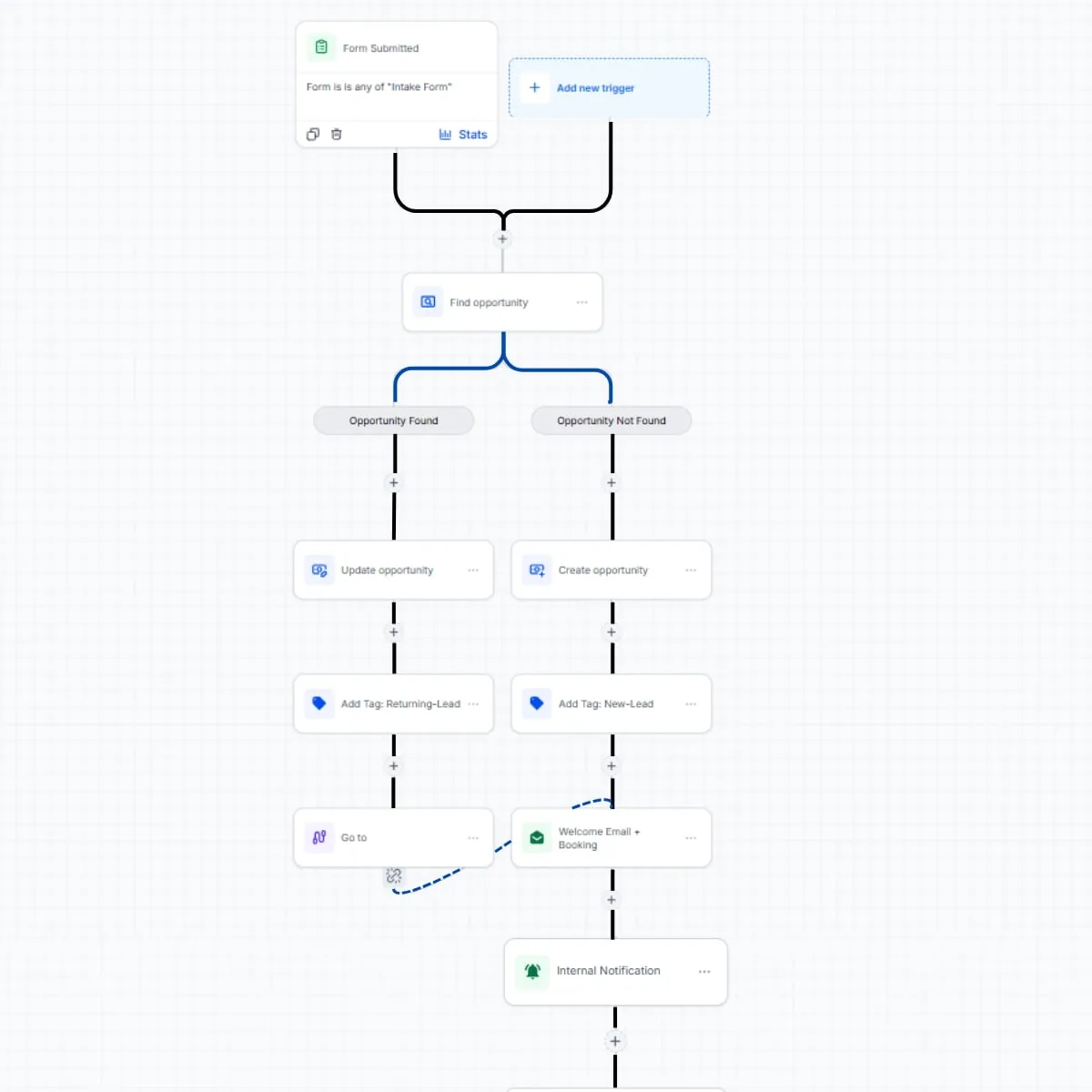
GoHighLevel workflow builder showing an intake form automation with branches
Case 05 · Automation

Automation System

Automate what happens after a lead enters the CRM, including follow-ups, reminders, stage changes, internal notifications, and longer-term nurture.

Branch logic Welcome Email + Booking Link Internal notification

New leads can receive an automated welcome message with a booking link while the right person is notified internally. Returning leads can be routed into a different follow-up path, and workflows can stop automatically when someone replies or books.

OutcomeNew leads hear back in seconds with a booking link, and the right person on your team is alerted right away.

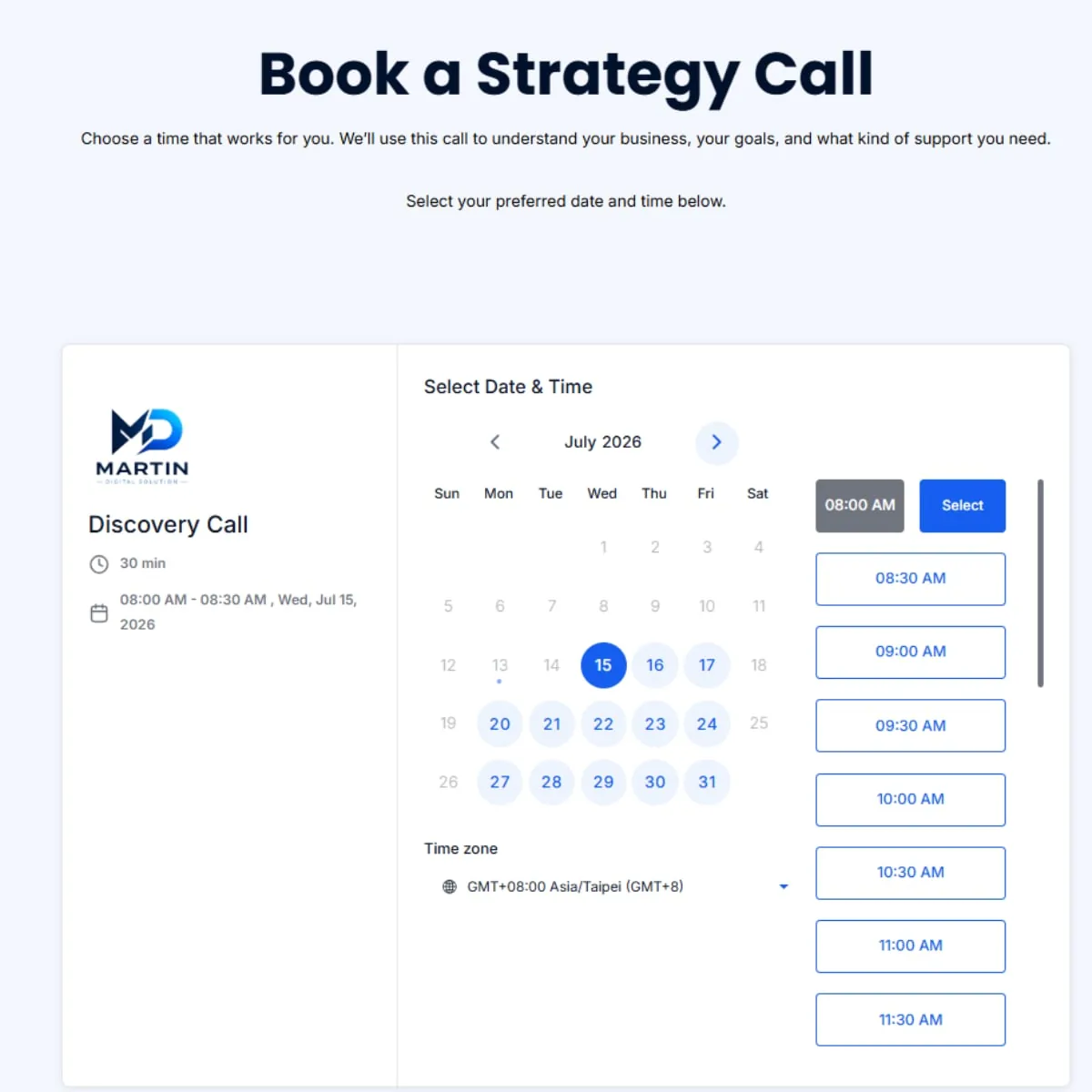
Book a Strategy Call page with a calendar and available times
Case 06 · Booking

Appointment Booking

Make it easy for leads to book, reschedule, and manage appointments without the usual back-and-forth.

GoHighLevel Calendar Automated Confirmations Reminder Workflows

Bookings are added directly to the calendar, confirmation messages can be sent automatically, and reminder workflows help reduce missed appointments. Rescheduling and follow-up can also be built into the process when needed.

OutcomeLess back-and-forth and fewer missed appointments, with every booking added to your calendar automatically.

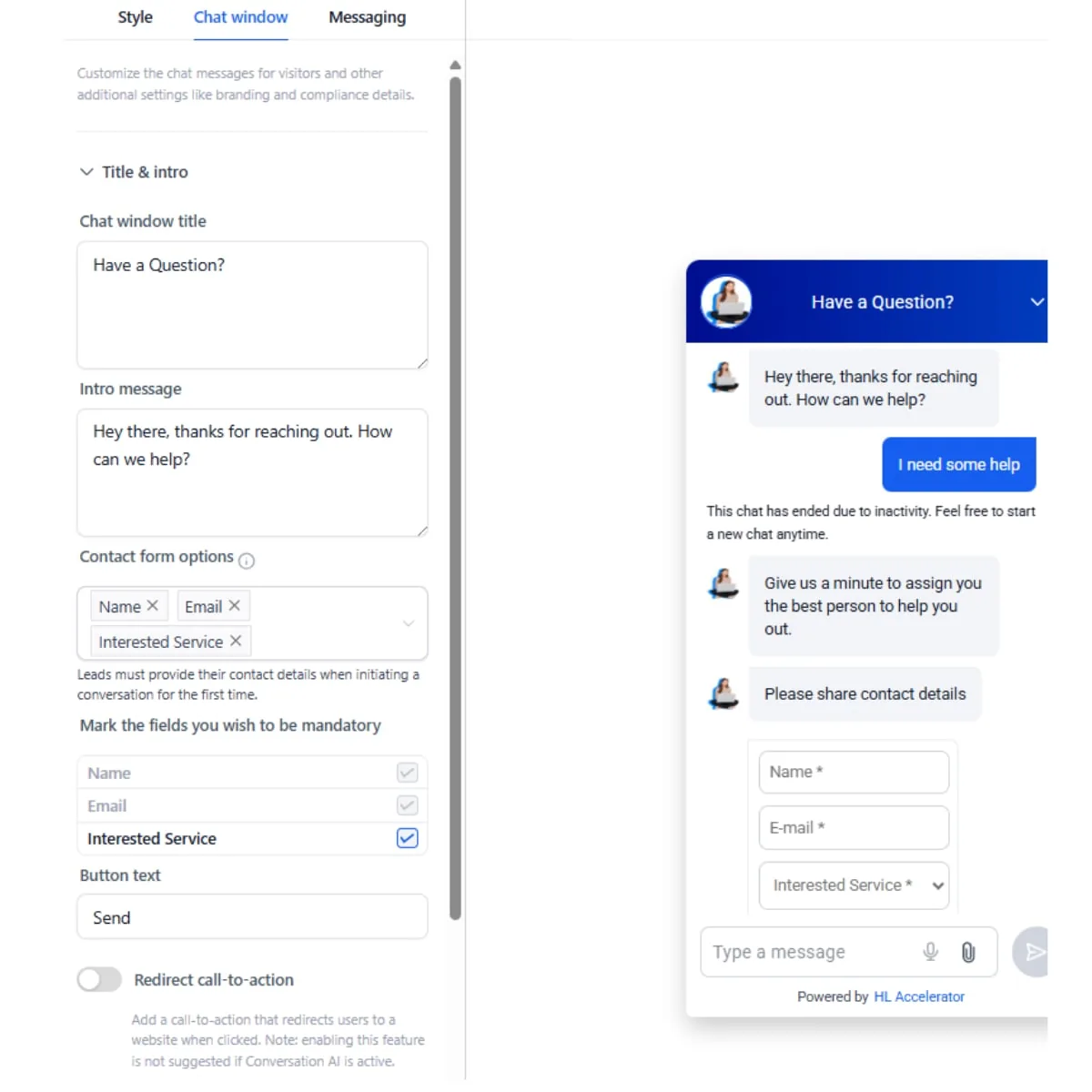
Chat widget settings beside a live chat conversation collecting contact details
Case 07 · AI Chat

AI Chat and Lead Qualification

Respond to website visitors, collect key lead details, and guide qualified inquiries toward the right next step.

24/7 Chat Response Lead Details Captured CRM Routing

The chat widget can ask qualification questions, collect contact information, and route the lead into the appropriate CRM workflow or booking process. If the conversation needs human input, the lead can be handed off with the context already captured.

OutcomeVisitors get an answer at any hour, and qualified leads reach your CRM or calendar without anyone chatting live.

Live example

See the whole funnel end to end

Walk through it the way a lead would: the landing page, the intake form, the booking calendar and the confirmation that follows.

funnel.martindigitalsolution.com

Open the live funnel

Want one of these built for your business?

I can screen-share any of these systems and show you the workflows behind them. Book a free 30-minute discovery call.

Book a Free Discovery Call
Scroll to Top